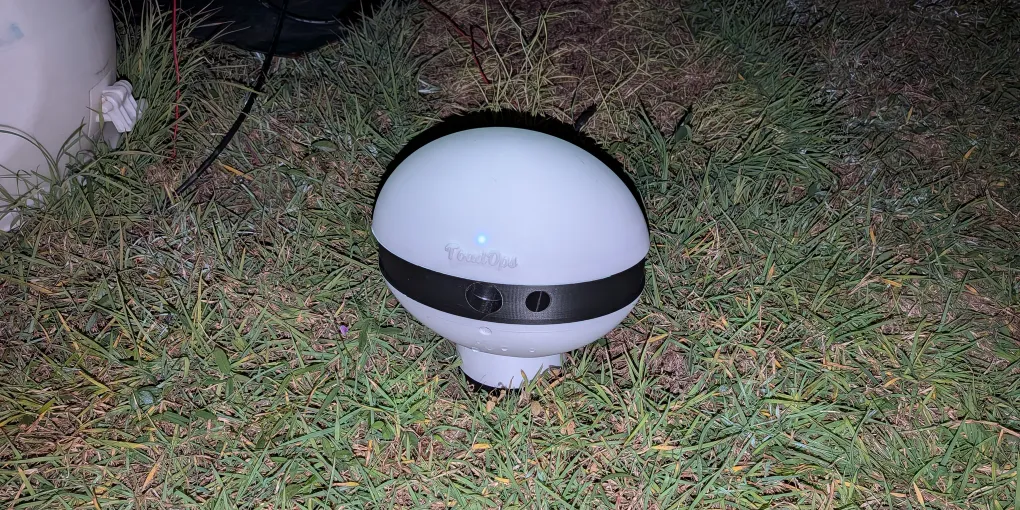
How to Set Up Your ToadTurret: Complete Step-by-Step Guide
Setting up a new ToadTurret takes about 10 minutes. There are a couple of device restarts along the way, so the most important bit is to keep it powered on and give it time to finish.
This guide follows the setup wizard from start to finish. If you only need the short version, open the printable ToadTurret quick-start sheet.
The quick version: Connect power at the rear left, wait for the second slow light signal, then open ToadOps and choose Add Device. Connect by Bluetooth, enable Config Mode, save your 2.4GHz WiFi details, then disable Config Mode to return the device to normal operation.
Before You Start
Have these ready:
- Your ToadTurret
- A 12V 3A power source: ToadTurret accepts any suitable 12V 3A connection. If you want to use a USB-C PD charger, make sure it is paired with a compatible PD trigger cable that asks the charger to supply 12V. A normal USB-C cable will not do this.
- A phone or Bluetooth-enabled computer: Use the ToadOps mobile app or the web interface at app.toadops.com.au.
- Your 2.4GHz WiFi name and password: WiFi is recommended for sighting uploads, notifications, software updates, and the second layer of cloud-based verification.
Keep your phone or computer close to ToadTurret during setup.
1. Connect Power and Find the Setup Button
Both connections are tucked underneath the weather shield at the back of ToadTurret:
- The power cable connection is under the left-hand side of the rear weather shield.
- The setup button is under the right-hand side of the rear weather shield.
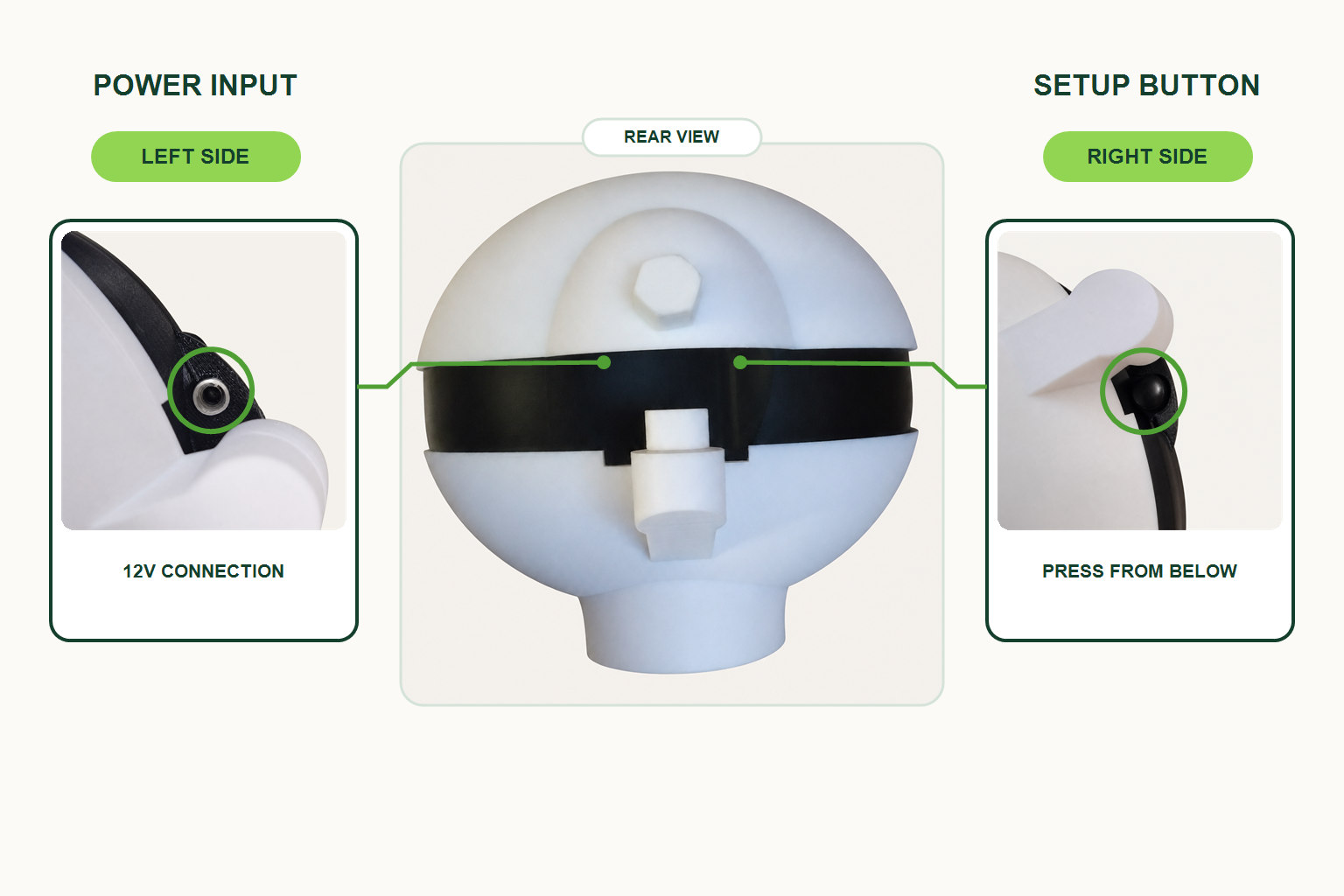
Connect the power cable, then watch the main light:
- First slow signal: The light slowly turns on for about 2 seconds, then off. Startup has begun.
- Second slow signal: The light slowly turns on and off again after the camera and other services are ready.
Wait for the second signal before trying to connect. ToadTurret is a small computer, so it needs a short while to start.
What the Rear Button Does
You normally only need the button if Bluetooth cannot find the device.
- Hold it for 1.5 seconds to restart Bluetooth setup.
- The light flashes while you hold the button.
- At 1.5 seconds, it gives a group of quick confirmation flashes.
- Release the button after the rapid flashes confirm the command was received.
Release the button after the rapid confirmation flashes. If you continue holding, WiFi itself will restart at 3 seconds. At 10 seconds, the whole device will restart.
2. Open the Add Device Wizard
Open the ToadOps mobile app, or visit app.toadops.com.au on a Bluetooth-enabled computer.
- Sign in to your ToadOps account. If you do not have one yet, choose Create account and follow the prompts.
- Open Devices.
- Choose Add Device.
- On the welcome screen, tap Get Started.
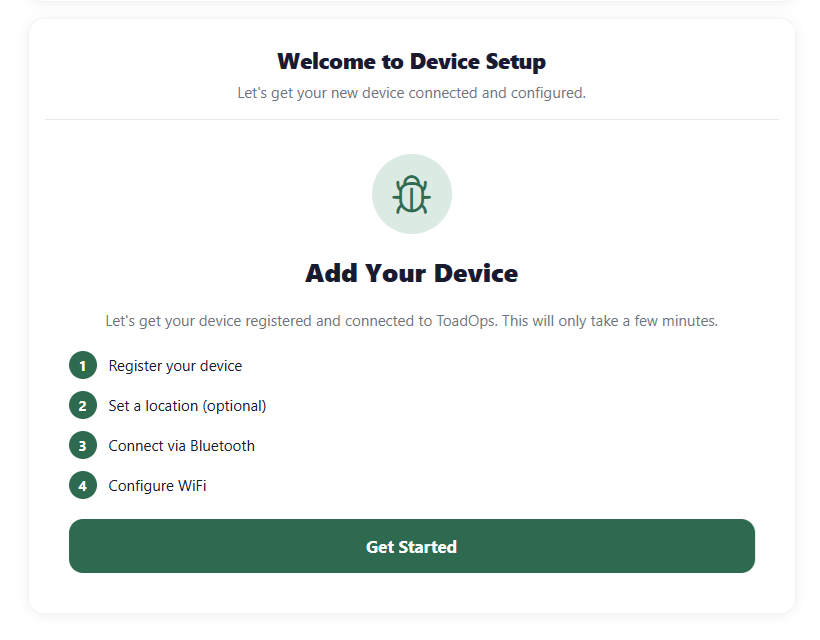
The wizard saves your progress. If setup is interrupted, return to Devices and choose the device marked Resume Setup.
3. Register Your Device
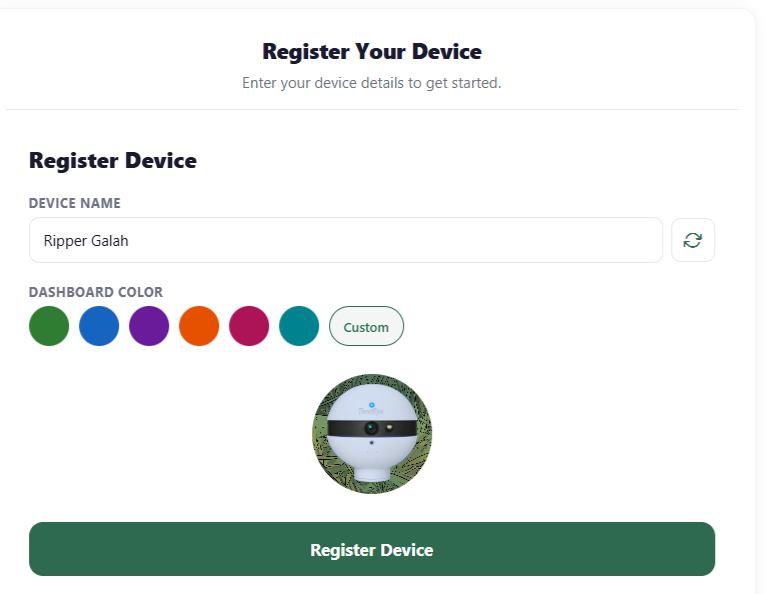
ToadOps suggests a name for your ToadTurret. You can keep it, type your own, or use the refresh button to generate another one.
Choose a dashboard colour, then tap Register Device. The name and colour only help you recognise this ToadTurret in your account, so you can choose whatever suits you.
4. Set the Device Location
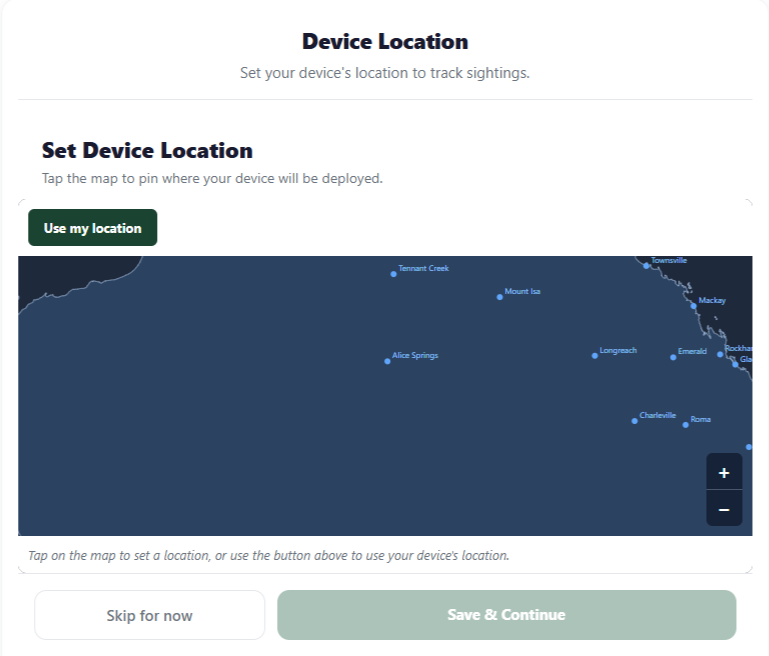
Tap the map to mark where ToadTurret will be used, or use the location button if it is available on your device. The saved position helps organise sightings on the dashboard.
This step is optional. Choose Skip for now if you have not decided on the final position yet, or if you would prefer to keep this information private.
For the final outdoor position, choose a cool or semi-shaded spot with a clear view of the ground. Avoid places where water can pool around the device. If you use a spray solution containing clove oil or another essential oil, keep ToadTurret away from ponds, dams, waterways, pet beds, and other sensitive areas.
5. Connect by Bluetooth
Make sure Bluetooth is turned on, then:
- Choose Scan for Devices in the mobile app, or Browse Devices on the web.
- Select your nearby ToadTurret from the list.
- If your browser opens its own pairing window, select the device there and choose Pair.
- Wait while ToadOps connects and links the physical device to the ToadOps device you just registered.
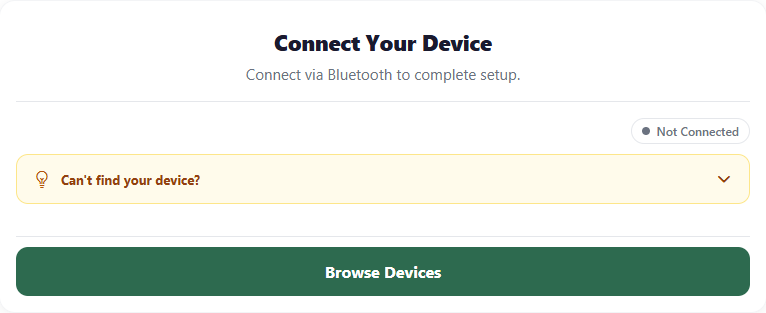
If ToadTurret Does Not Appear
- Double-check that the second slow startup light signal has appeared. ToadTurret contains a small computer, so it can take a little while to finish starting.
- Keep your phone or computer close to the device.
- Hold the rear setup button for 1.5 seconds.
- Release it after the quick confirmation flashes.
- Scan again.
Bluetooth setup turns itself off after a period without activity. The same 1.5-second button hold starts it again.
6. Enable Configuration Mode
Configuration Mode temporarily allows ToadOps to save WiFi details on the device.
Tap Enable Config Mode. ToadTurret will restart, and Bluetooth will disconnect for a while. This is expected.
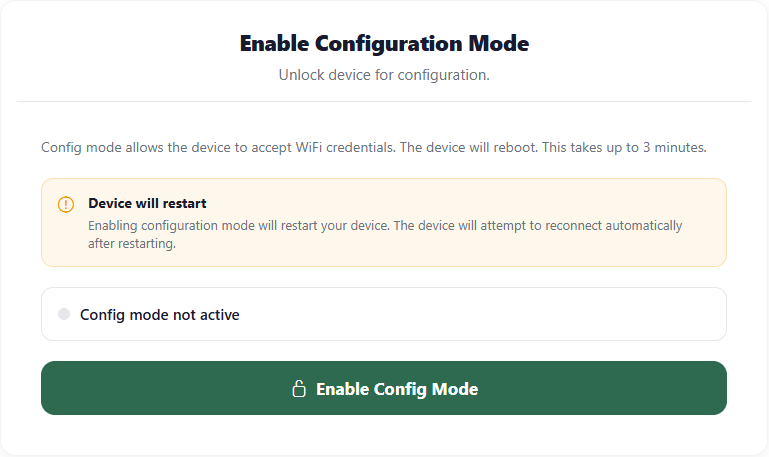
Allow at least 3 minutes for the restart. Keep ToadTurret powered on, leave the wizard open, and let it reconnect. The app shows a countdown while it waits.
7. Configure 2.4GHz WiFi
ToadTurret connects to 2.4GHz WiFi only. It cannot connect to a 5GHz or 6GHz network. You do not need to work out which networks are compatible yourself: the Scan button shows the valid networks that ToadTurret can currently see.
On the Configure WiFi screen:
- Choose Scan to look for nearby networks, or enter the WiFi network name, also called the SSID.
- Enter the WiFi password. It is case-sensitive.
- Tap Save WiFi Settings.
- Wait for the connection check to finish.
- Tap Continue to Lock Device.
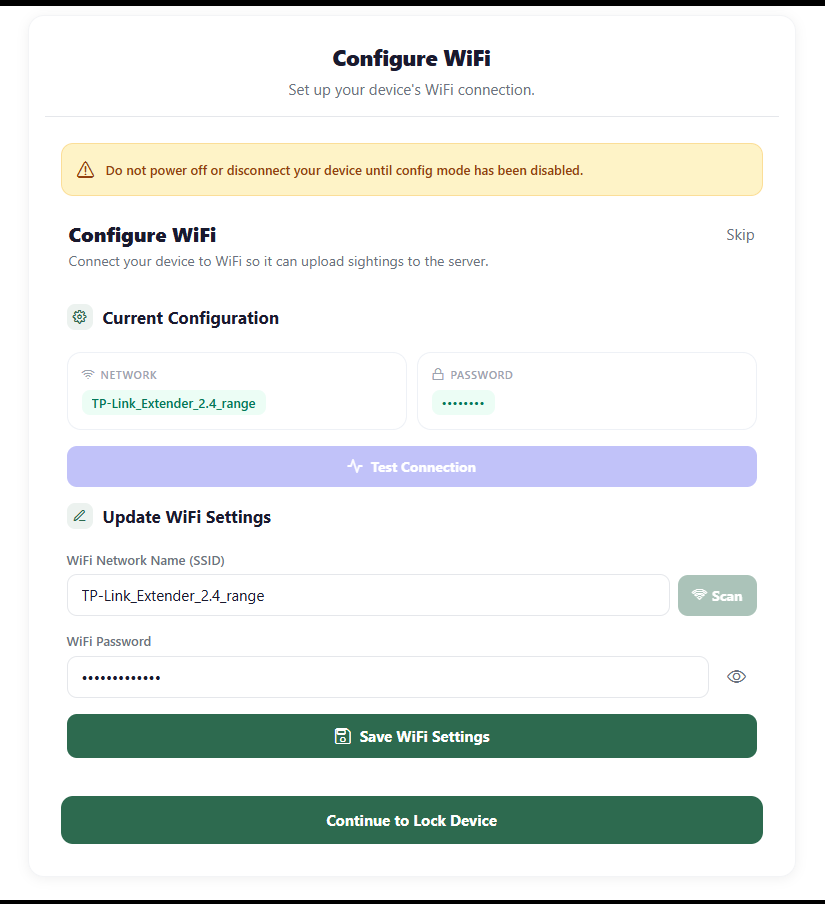
Do not power off or disconnect ToadTurret at this point. Configuration Mode still needs to be disabled safely.
If you are not sure whether your router offers 2.4GHz WiFi, see the 2.4GHz WiFi setup guide.
WiFi is recommended, but ToadTurret can still perform its core on-device detection and spray functions without it. While offline, it cannot upload sightings, send notifications, receive software updates, or use the second layer of verification in the cloud.
8. Disable Configuration Mode
This step returns ToadTurret to its normal protected operating mode.
Tap Disable Config Mode. The device restarts again, so allow at least 3 minutes. Leave the power connected and allow the wizard to finish reconnecting.
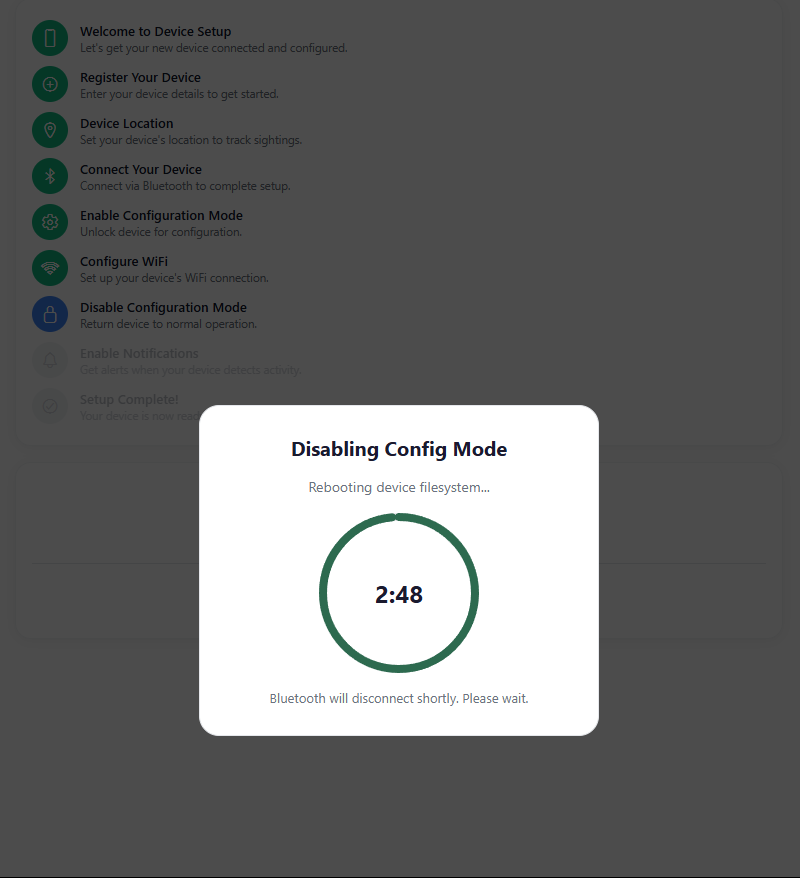
If the wizard says Bluetooth is disconnected, use its reconnect button and select the same ToadTurret again. Do not unplug the device while Configuration Mode is still active.
9. Choose Notification Settings
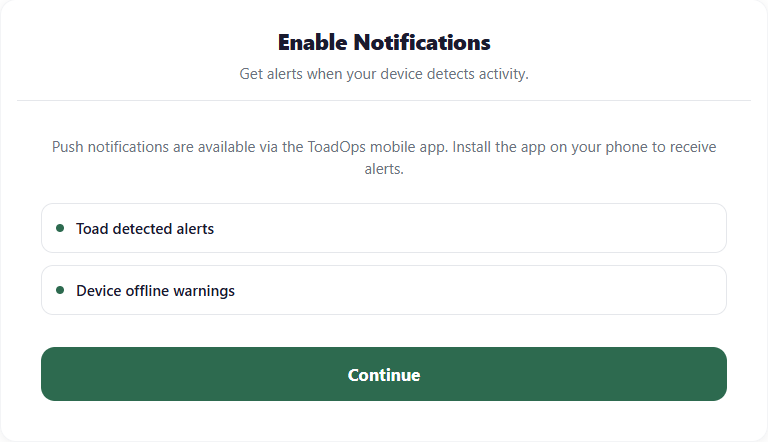
In the mobile app, you can enable notifications for:
- Toad detection alerts
- Device offline warnings
You can choose Maybe later and change this in Settings at any time. If you are completing setup through the web interface, the wizard explains how to turn notifications on later in the mobile app.
10. Finish Setup
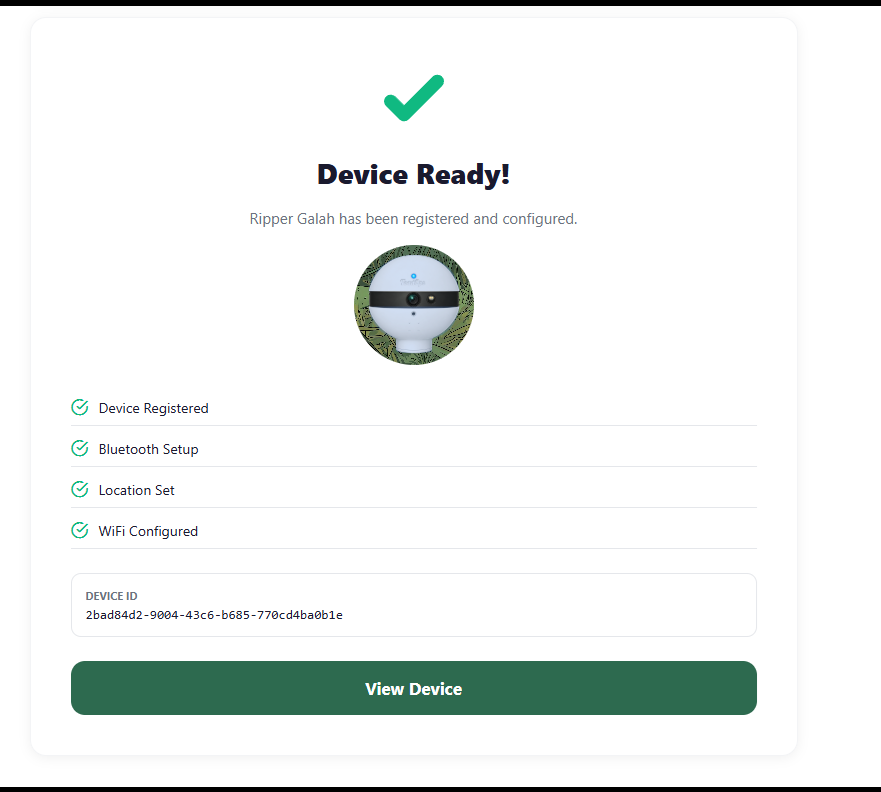
Setup is complete when the wizard shows Device Ready. The final checklist confirms whether the device was registered and whether Bluetooth, location, and WiFi setup were completed or skipped.
Tap View Device to open the device dashboard.
If Setup Gets Stuck
Work through these checks:
- No startup light signals: Unplug ToadTurret, wait 10 seconds, reconnect power, then wait for both slow light signals.
- Bluetooth cannot find it: Hold the rear setup button for 1.5 seconds, release after the quick confirmation flashes, then scan again.
- The device restarted: This is expected after enabling or disabling Config Mode, and it may also happen after WiFi changes. Allow at least 3 minutes.
- WiFi controls are locked: Return to the Enable Configuration Mode step and enable it before changing WiFi details.
- Setup was interrupted: Open Devices and select the device marked Resume Setup.
- WiFi still will not connect: Check the 2.4GHz WiFi guide and our troubleshooting guide.
What to Do Next
Each night, ToadTurret uploads a heartbeat image even if it does not detect any toads. After it has run overnight, check the dashboard for that image. It is a handy way to confirm that the device has a clear view and is connecting properly.
Read the monitoring best practices guide for positioning tips, scan schedules, and ways to get the clearest detections. If you still need a hand, get in touch and we will help you sort it out.