Quick start
Set up your ToadTurret
Keep your phone or computer close to the device and allow about 10 minutes.
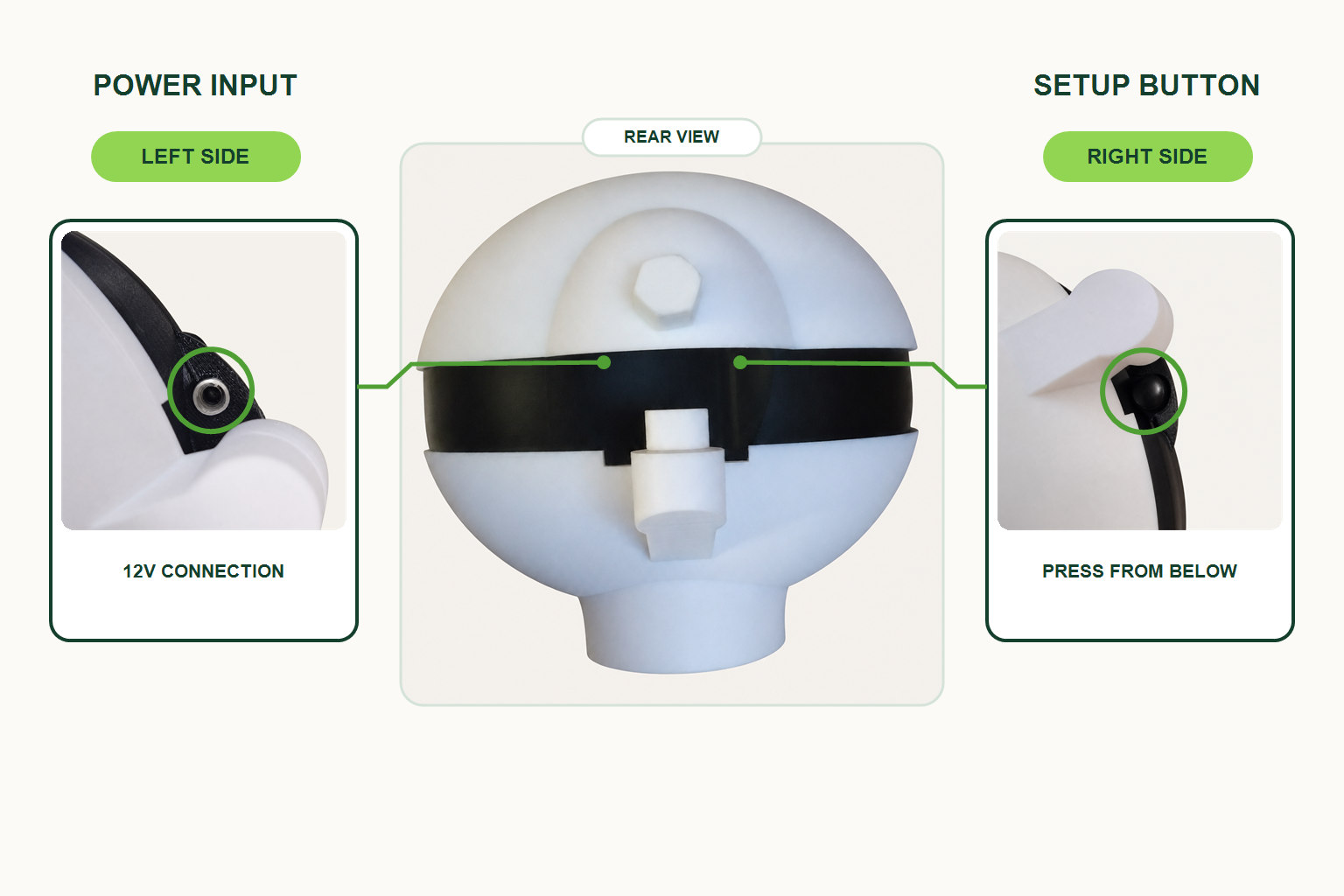
Start at the back
Power
Connect the power cable under the left-hand side of the rear weather shield.
Setup
The setup button is under the right-hand side of the rear weather shield.
Fill
Unscrew the bolt seal at the rear to access the solution fill point.
Wait for two slow light signals. The main light slowly turns on and off once when startup begins, then again when the device is ready.
Have these ready
- Bluetooth turned on
- Your 2.4GHz WiFi name and password
- The ToadOps app or app.toadops.com.au
Follow the setup wizard
- 1 Create your accountSign up or sign in at app.toadops.com.au.
- 2 Add your deviceOpen Devices, choose Add Device, then tap Get Started.
- 3 Register itChoose a name and dashboard colour. Location is optional and can be skipped for privacy.
- 4 Connect by BluetoothTap Browse Devices or Scan for Devices, then choose your ToadTurret.
- 5 Enable Config ModeThe device restarts. Keep it powered on and allow at least 3 minutes.
- 6 Configure WiFiEnter your 2.4GHz WiFi details, save them, then continue to lock the device.
- 7 Disable Config ModeThis returns the device to normal operation. Allow at least 3 minutes for the restart.
- 8 FinishChoose whether to enable notifications. Setup is done when you see Device Ready.
Can’t see the device?
Hold the rear setup button for 1.5 seconds. Release after the quick confirmation flashes, then scan again.